
How To Start A Blog in 2026 – Best Guide
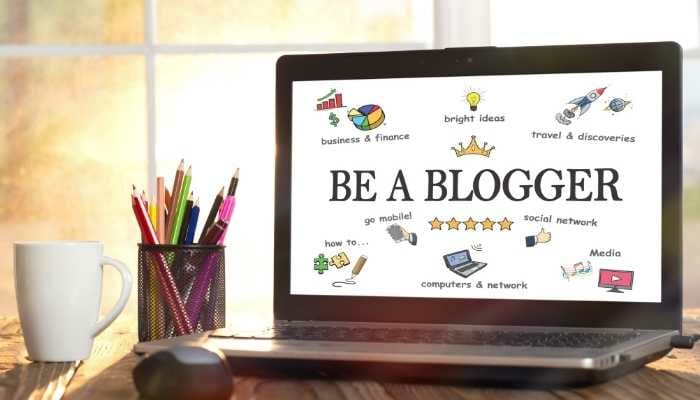
When you start a blog in 2026, there are many things to consider. Should your blog be personal or professional? What should the design of your site look like? How much time should you spend blogging each day? Which topics should you cover on your blog? This article will answer these questions and more, so that when it’s time for you to start a blog, you’ll know exactly what to do.
Starting a blog in 2026 is challenging. It takes a lot of time and effort to make it successful, but the payoff can be huge. In this ultimate guide, I will teach you how to start your own blog from scratch and hopefully inspire you to give it a shot! You never know what might happen until you try.
Choose Your Right Niche
To succeed in your blogging journey, you need to find a blogging niche that interests you. There are many different blogging niches to choose from. So how do you decide which one is right for you?
Start by thinking about your passions and interests. What topics can you talk about for hours on end without getting bored? That’s a good place to start. You can also check out blogging niches you’ve seen others blog about. Which ones interest you? The blogging niche you choose should be something that interests you. If it doesn’t, blogging will seem like a chore, and you probably won’t enjoy it or get very far with it.
Once you decide on the blogging niche that interests you most, make sure it isn’t too competitive. If you’re blogging about blogging, for example, it could be tough to stand out and get traffic to your blog (this is why we recommend not blogging about blogging). You’ll need a blogging niche that’s something unique or specific enough that people will want to read your blog, but not so competitive that you’ll be in a category – blogging, blogging tips, blogging niches.
Choose Blogging Topic
One of the most important decisions you’ll make when starting a blog is what to blog about. You want to choose a topic you’re interested in and know well, because you’ll be blogging about it every day.
Since blogging about your daily life sounds boring, we’re going to assume that blogging about a specific topic will be more interesting to you and your readers.
If blogging about your daily life is something you want to do, blogging can also be a great way for friends and family to keep up with what’s going on. If this sounds like a better fit for you, consider blogging about a specific topic such as fashion, travel, food, or home decor.
Choose Blogging Platform
There are lots of blogging platforms out there, but today we are going to talk about blogging with WordPress. WordPress is the blogging platform of choice for bloggers all around the world. That’s because it’s easy to use and literally anyone can start blogging on it in just a few minutes.
The platform plays a significant role in achieving success in blogging, so you have to choose the right blogging platform. I personally recommend WordPress as a CMS for your blog. WordPress is one of the most popular blogging platforms in the world. And it’s free!
You have to host WordPress in a web hosting service. In this guide, you will learn how to connect WordPress and a domain with web hosting.
Choose Domain/Hosting
A domain name is the most essential part of blogging because it’s the name people will search for to get to your blog. If you’re blogging about professional topics, a .com is preferred, but if you’re blogging about personal issues, a .me or .us might be better because they appear more friendly and less “business-like.” Remember that a domain can always be changed later.
The other important part of blogging is hosting, because this is where your blog will actually be stored. Most blogging platforms have several hosting options, so there are usually plenty to choose from. Don’t worry about which platform or hosting service you pick right now, because you can change both later if needed.
Now, talk about web hosting. Web hosting is essential when using a self-hosted WordPress CMS. Basically, web hosting is where your blog will be stored. There are many web hosting service providers. Here are a few popular web hosting company names.
Best web hosting for blogging
- Bluehost
- Cloudways
- Greengeeks
- Dreamhost
After installing WordPress on your hosting account, you need to install your favorite WordPress plugin and theme.
Publish Your First Blog Post
Now you can publish your first blog on your blogging site. Here I have listed some checklists to know before starting to write.
Best Tools For Blogging
There are lots of tools for blogging, so many that you could spend all of your blogging time learning new ones. But blogging doesn’t have to be so challenging. If you want to keep things simple, try out some of these blogging tools for beginners on your blog first:
- WordPress (the blogging platform)
- Google Docs (word processing)
- Grammerly
- SurferSEO
- Hootsuite (to help you with social media scheduling)
Conclusion
I hope you will get your answer. Again, I will recommend WordPress cms as a blogging platform. And, when choosing a domain name, you have to choose one that is short and easy to remember. I highly recommend Bluehost for hosting your blog because WordPress.org officially recommends it.
